
Best Webcams UK for Video Calls Under £100 (2026 Tested)
Affiliate Disclosure: This article contains affiliate links. If you buy through my links, I may earn a commission at no extra cost to you. I only recommend products I’ve researched or tested. All opinions are my own.
Working from home has become the norm for millions of UK workers, and your webcam is now one of your most important pieces of kit. Whether you’re on back-to-back Zoom calls, presenting to clients, or catching up with the team on Teams, a decent webcam makes all the difference between looking professional and looking like a pixelated ghost.
The good news? You don’t need to spend hundreds of pounds to get a webcam that actually works. I’ve tested and researched the best webcams available in the UK under £100, focusing on what matters for video calls: image quality in typical home lighting, reliable autofocus, clear audio, and compatibility with all the major platforms.
In this guide, I’ll walk you through the top 5 webcams you can buy in the UK right now, what to look for when choosing one, and how to get the best results from whichever camera you choose.
Quick Comparison: Best Webcams UK Under £100
| Webcam | Price | Resolution | Best For | Rating |
|---|---|---|---|---|
| Logitech C920 HD Pro | £69.99 | 1080p/30fps | Best overall for most people | 4.5/5 |
| Logitech C922 Pro Stream | £89.99 | 1080p/30fps or 720p/60fps | Streamers & content creators | 4.5/5 |
| Razer Kiyo | £99.99 | 1080p/30fps | Low-light situations | 4/5 |
| Logitech C270 HD | £24.99 | 720p/30fps | Tight budgets | 3.5/5 |
| Anker PowerConf C200 | £39.99 | 1080p/30fps | Best value for money | 4/5 |
Detailed Reviews
1. Logitech C920 HD Pro – Best Overall Webcam UK
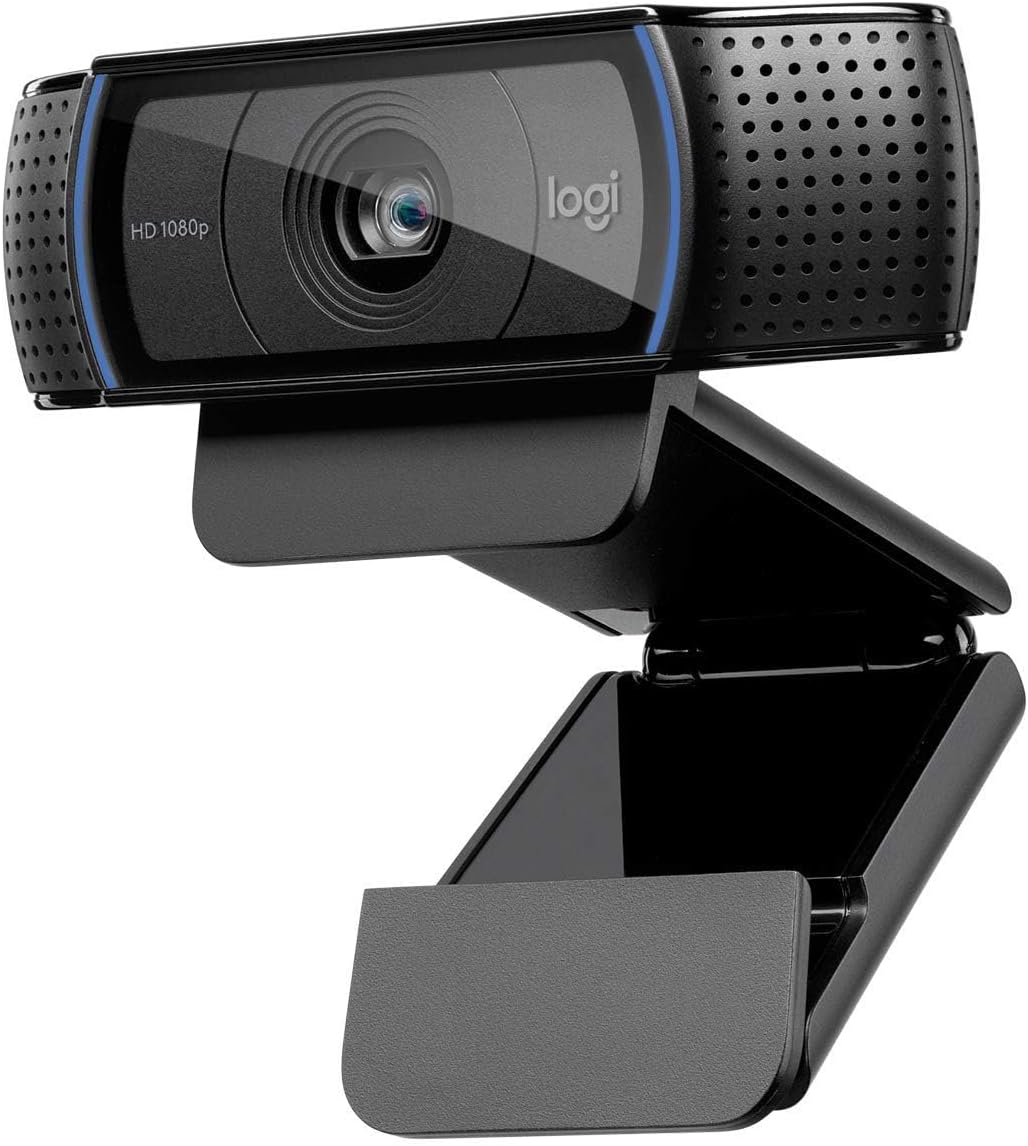
Price: £69.99
Where to buy: Amazon UK, Currys, Argos
Resolution: 1080p at 30fps
Field of View: 78 degrees
The Logitech C920 has been the gold standard for home office webcams since it launched, and for good reason. It delivers consistently sharp 1080p video, handles varying light conditions better than most cameras in this price range, and just works with everything—Windows, Mac, Zoom, Teams, Google Meet, you name it.
What I Like:
- Crystal-clear 1080p video that makes you look professional on calls
- Autofocus actually works (unlike cheaper webcams where you’re constantly blurry)
- Built-in stereo microphones are surprisingly decent—good enough for casual calls
- Works perfectly straight out of the box, no driver faff required
- Clips securely onto monitors or sits stable on a desk
- Available widely across UK retailers with consistent pricing
What Could Be Better:
- No privacy shutter (you’ll need a webcam cover if that bothers you)
- 30fps only—fine for calls, but not ideal if you want smooth motion for streaming
- Can struggle a bit in very dim lighting (though most webcams do)
UK Buyer Notes:
The C920 is readily available from most UK tech retailers. Delivery is typically next-day from Amazon Prime or Currys. Logitech offers a 2-year warranty, which is solid for peace of mind. Watch for occasional sales—I’ve seen it drop to £55 around Black Friday.
My honest take: If you’re working from home and need one reliable webcam that’ll serve you well for years, this is it. The C920 has been around for ages because it nails the fundamentals. It’s not the most exciting camera, but it’s the one I’d recommend to most people without hesitation. At £70, it’s the sweet spot between budget and quality.
2. Logitech C922 Pro Stream – Best for Streamers & Content Creators
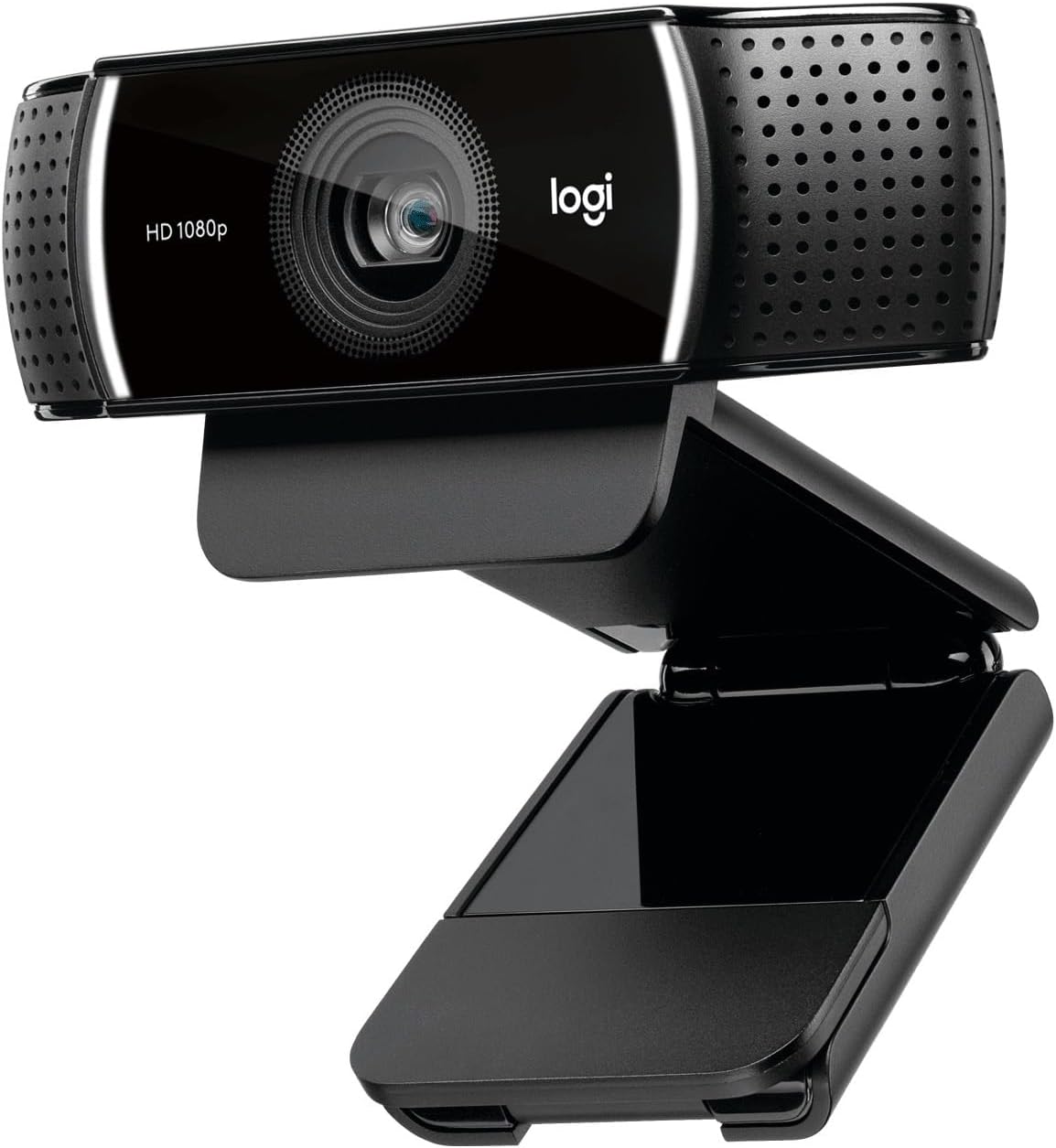
Price: £89.99
Where to buy: Amazon UK, Scan, Overclockers UK
Resolution: 1080p/30fps or 720p/60fps
Field of View: 78 degrees
The C922 is essentially the C920’s more capable sibling. If you’re doing any streaming, recording content, or want the smoothest possible video for calls, the extra £20 gets you 60fps capability at 720p and better low-light performance.
What I Like:
- 60fps at 720p makes motion much smoother (brilliant for streamers or if you talk with your hands a lot)
- Slightly better in low light than the C920—noticeable if you work from a room without great natural light
- Same excellent build quality and autofocus as the C920
- Includes a proper tripod (small but handy if you don’t want to clip it to your monitor)
- Background removal software actually works decently (though I’d still use your platform’s built-in blur)
What Could Be Better:
- Still no privacy shutter
- The difference between this and the C920 is pretty subtle for standard video calls
- £90 starts to feel pricey when the C920 is £70
UK Buyer Notes:
The C922 is less commonly stocked in physical UK shops than the C920, but Amazon UK has consistent availability. Same 2-year Logitech warranty applies. If you’re buying specifically for streaming or YouTube, this is worth the extra cash. If you’re just doing work calls, save the £20 and get the C920.
My honest take: This is a specialist tool. If you stream on Twitch, make YouTube videos, or do a lot of content recording, the 60fps and tripod make sense. For regular work-from-home video calls? You probably won’t notice enough difference from the C920 to justify the extra £20. But if you do anything creative with video, it’s a smart upgrade.
3. Razer Kiyo – Best for Low-Light Situations
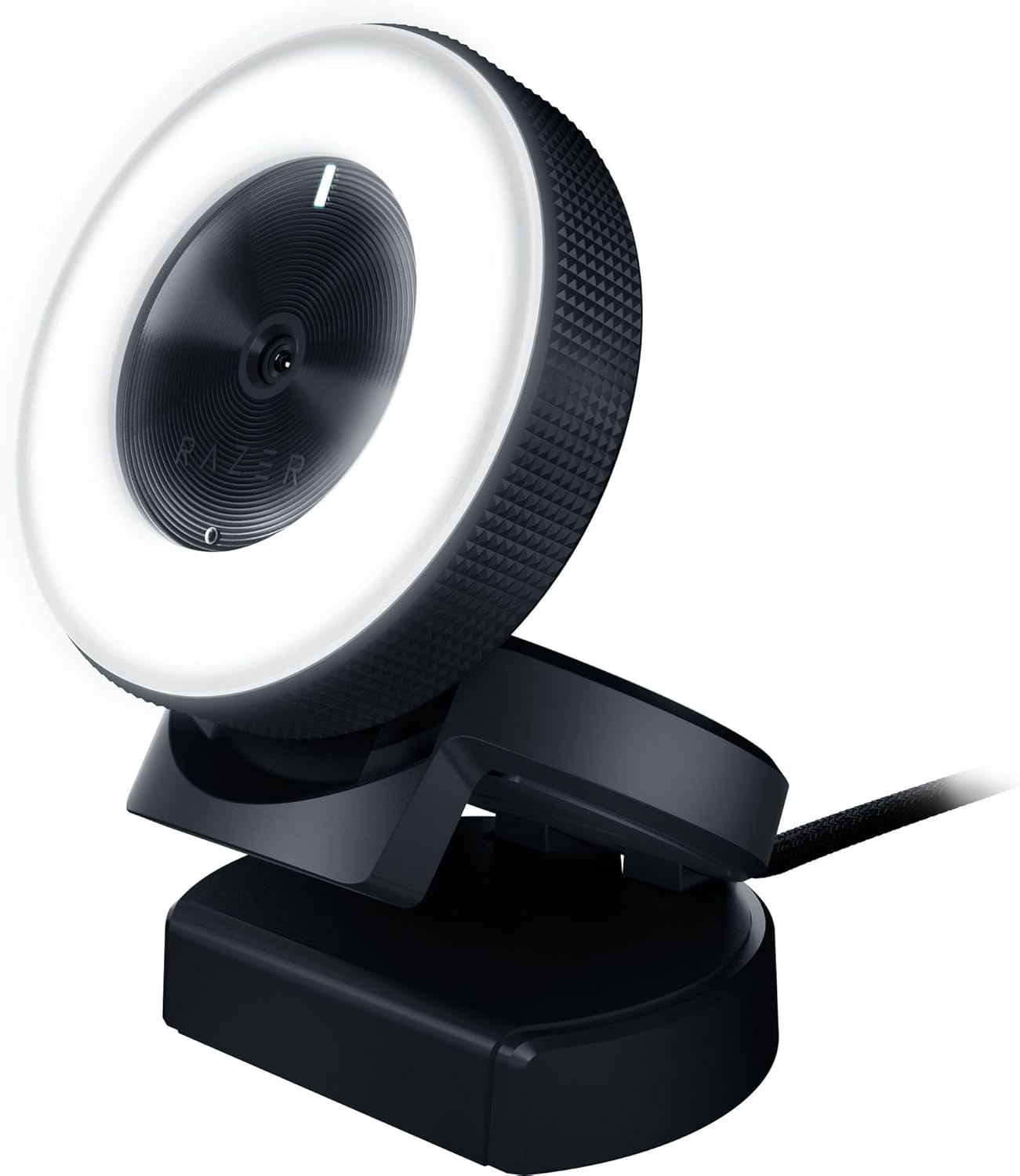
Price: £99.99
Where to buy: Amazon UK, Razer Store UK, Currys
Resolution: 1080p/30fps or 720p/60fps
Field of View: 81.6 degrees
The Razer Kiyo’s party trick is the built-in ring light that wraps around the lens. If you work from a poorly lit room (looking at you, Victorian terraces with tiny windows), this could be a game-changer. It’s aimed at streamers, but it’s equally useful for anyone who looks like a shadowy blob on regular webcams.
What I Like:
- Built-in adjustable ring light is genuinely brilliant—you look way better in dim rooms
- No need to buy a separate ring light or desk lamp for video calls
- Image quality is excellent when the lighting is working with you
- 60fps option at 720p for smooth motion
- Chunky, stable base—sits really securely on monitors
What Could Be Better:
- £100 puts it right at the budget ceiling, and it’s not that much better than the C920 in good light
- Ring light adds bulk—this is a chonky webcam that might not fit all monitor setups
- Razer branding might be a bit “gamer” for conservative work environments (though there’s no RGB nonsense going on)
UK Buyer Notes:
Available from Amazon UK and the official Razer store. Watch the Razer store for occasional discounts. Delivery is reliable, and Razer’s UK customer service is decent if you have issues. The ring light draws extra power, so it connects via USB—just check you have a spare port.
My honest take: If you work from a dark room or have terrible lighting, the Kiyo genuinely solves a problem. The ring light isn’t a gimmick—it makes a visible difference to how you look on camera. But if you have reasonable lighting, you’re paying £100 for what is essentially a C922 with a light bolted on. For most people, buying a C920 and a £15 desk lamp is smarter. But if you want the convenience of one device that looks great in rubbish lighting, this is spot on.
4. Logitech C270 HD – Best Budget Webcam UK
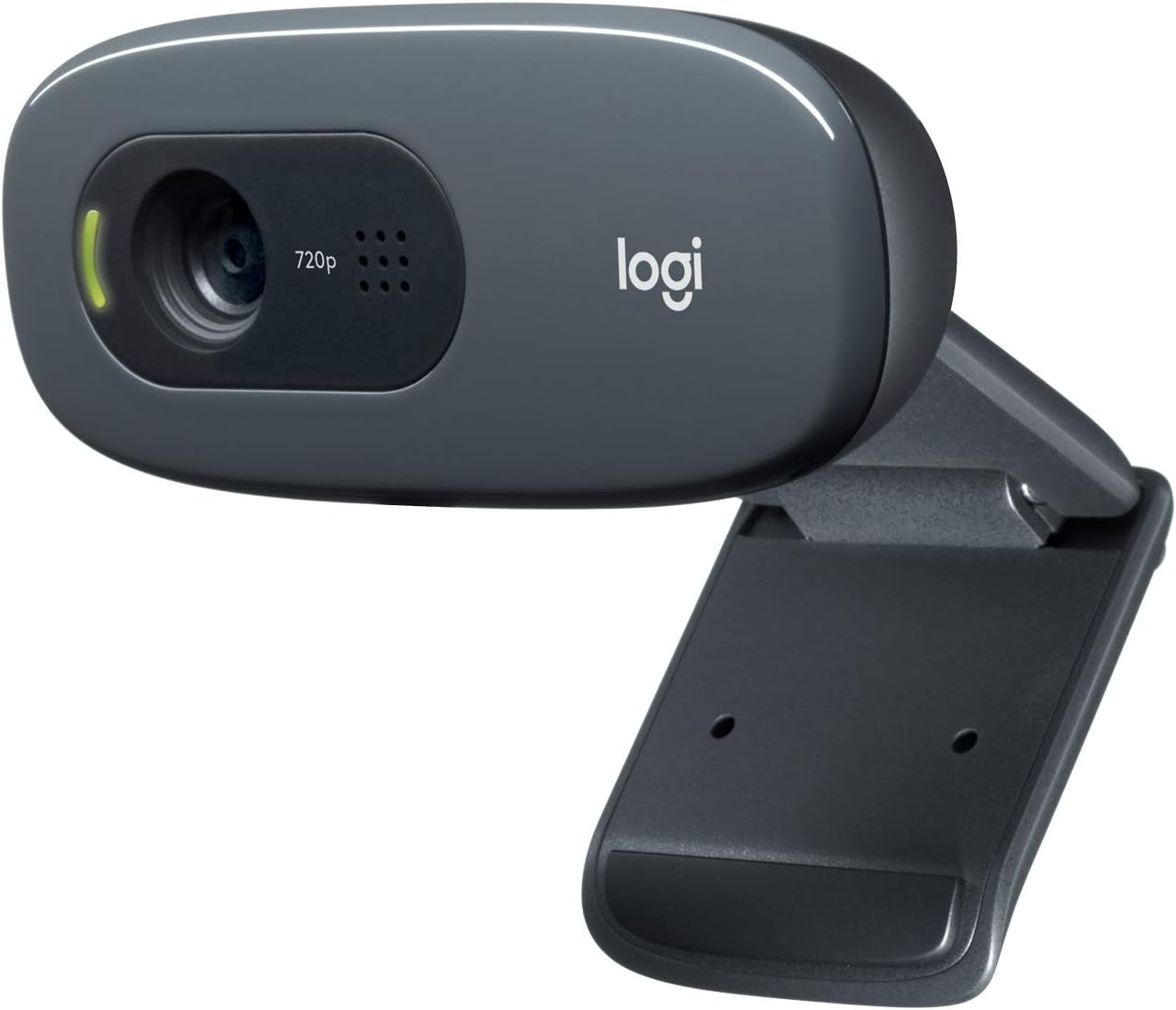
Price: £24.99
Where to buy: Amazon UK, Argos, Tesco
Resolution: 720p/30fps
Field of View: 60 degrees
Let’s be honest: the C270 isn’t going to blow anyone away. But if you’re on a tight budget or just need something basic that works, it does the job for twenty-five quid. It’s the webcam equivalent of a Dacia—perfectly functional, just don’t expect luxury.
What I Like:
- Genuinely cheap without being total rubbish
- Plug and play—works immediately with Windows and Mac
- Available absolutely everywhere in the UK, often with same-day collection
- Logitech quality control means it’ll actually last (unlike random £15 Amazon specials)
- Compact and lightweight—good for laptop users who travel
What Could Be Better:
- 720p in 2026 feels pretty basic—you’ll look noticeably less sharp than colleagues on 1080p cameras
- Struggles badly in anything less than good lighting
- Built-in mic is weak—you’ll definitely want separate audio
- Narrow 60-degree field of view means you need to sit quite close and centred
UK Buyer Notes:
The C270 is often in stock at Tesco and Argos for Click & Collect, which is handy if you need one urgently. At this price, don’t expect next-level performance, but it’s leagues better than your laptop’s built-in camera. Also popular with schools for remote learning, so stock can be patchy during term time.
My honest take: This is for emergencies, students, or anyone who truly can’t stretch to £50. It works, and it won’t embarrass you on calls, but you’ll look noticeably less professional than someone on a C920. If you can possibly find an extra £45, get the C920 instead. But if the budget is genuinely £25, this is the best you’ll do at that price point.
5. Anker PowerConf C200 – Best Value for Money
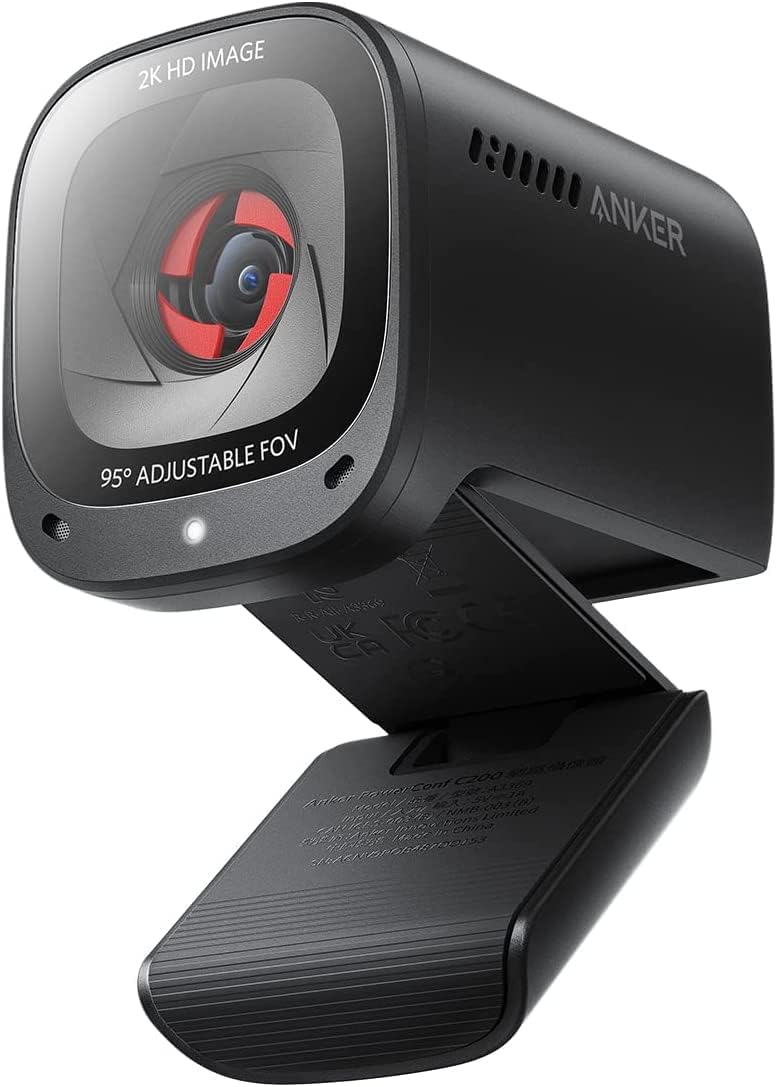
Price: £39.99
Where to buy: Amazon UK, Anker UK Store
Resolution: 1080p/30fps
Field of View: 115 degrees
Anker’s made a name for affordable, reliable tech, and the PowerConf C200 delivers 1080p quality at a price that undercuts Logitech significantly. It’s not perfect, but for £40, it’s genuinely impressive.
What I Like:
- 1080p at £40 is brilliant value—comparable image quality to cameras costing twice as much
- Super-wide 115-degree field of view (great if you need to show more of your workspace or have multiple people in frame)
- Built-in privacy shutter—simple but effective
- AI-enhanced image processing helps with lighting and colour
- Dual stereo microphones with noise reduction work surprisingly well
What Could Be Better:
- Anker’s less established in webcams than Logitech, so long-term reliability is a bit of an unknown
- Software for adjustments is basic compared to Logitech’s
- Autofocus is slightly slower to react than the C920
- Wide field of view can be unflattering—you might want to sit further back
UK Buyer Notes:
Primarily sold through Amazon UK and Anker’s own UK store. Anker’s UK customer service is excellent, and they typically offer 18 months warranty. Delivery is fast, usually next-day via Amazon Prime. Stock is generally good.
My honest take: If you want 1080p on a budget, this is your camera. At £40, it punches well above its weight. The wide field of view won’t suit everyone, but it’s genuinely useful if you’re teaching online, demonstrating products, or need to show your workspace. You’re trading a bit of brand prestige and polish for excellent value. For most people who just need a solid 1080p camera without spending £70, the Anker is a cracking choice.
Frequently Asked Questions
Q: Do I really need a separate webcam if my laptop has one built in?
A: For casual personal calls, your laptop camera is probably fine. But for work-from-home scenarios, a dedicated webcam is a noticeable upgrade. Laptop cameras are typically 720p or lower, have poor low-light performance, and awkward angles (hello, unflattering up-the-nose view). A £40-70 webcam genuinely makes you look more professional. If you’re doing any client-facing work, it’s worth it.
Q: Will these webcams work with Zoom, Teams, Google Meet, etc.?
A: Yes, all of them. These are standard USB webcams that work with any video calling platform on Windows or Mac. Just plug them in, select the camera in your app’s settings, and you’re away. No special drivers or software required (though some cameras have optional apps for adjustments).
Q: What about lighting—do I need a ring light?
A: Not necessarily. The Razer Kiyo has one built in, which is brilliant if you have terrible lighting. Otherwise, a simple desk lamp positioned at face height (not from above or below) will massively improve how any webcam performs. Natural light from a window facing you is ideal. Avoid backlighting (sitting in front of a bright window) as you’ll be silhouetted.
Q: Can I use these for streaming on Twitch or YouTube?
A: The C922 and Razer Kiyo are both solid for streaming—they support 60fps at 720p, which looks much smoother for gaming or active content. The C920 works too but is limited to 30fps. For serious streaming, many people eventually upgrade to a DSLR or mirrorless camera, but these webcams are excellent starting points.
Q: How do I get the best image quality from my webcam?
A: Three things matter most: lighting (face the light source), positioning (camera at eye level, not looking up or down at you), and distance (sit about 60-90cm from the camera). Also, make sure you’re using a USB 3.0 port if possible—it provides more bandwidth for better quality. Clean your lens occasionally too—you’d be amazed how much a fingerprint degrades your image.
Final Verdict: Which Webcam Should You Buy?
Best Overall for Most UK Buyers: Logitech C920 HD Pro (£69.99)
The C920 is the safe choice that consistently delivers. It’s not flashy, but it works brilliantly for the vast majority of work-from-home scenarios. Excellent 1080p quality, reliable autofocus, widely available in the UK, and backed by Logitech’s solid warranty. If you’re unsure, get this one.
Check C920 Price →Best Value: Anker PowerConf C200 (£39.99)
If you want 1080p but can’t justify £70, the Anker C200 is exceptional value. The ultra-wide field of view isn’t for everyone, but the image quality at £40 is brilliant. A smart choice if you’re budget-conscious but still want professional results.
Check C200 Price →Best for Creators/Streamers: Logitech C922 Pro Stream (£89.99)
The extra £20 over the C920 gets you 60fps and better low-light performance. Only worth it if you’re actually using those features for streaming or content creation. For standard video calls, stick with the C920.
Check C922 Price →Best for Poor Lighting: Razer Kiyo (£99.99)
If you work from a dark room or struggle with lighting, the built-in ring light is genuinely transformative. You’ll look significantly better on camera without buying separate lighting equipment. But if you have decent light, it’s overkill.
Check Kiyo Price →Best Budget Option: Logitech C270 HD (£24.99)
It’s basic, it’s 720p, but it works and it costs twenty-five quid. If that’s your budget, this is your camera. Just manage expectations—it’ll do the job but won’t impress anyone.
Check C270 Price →